
Pack and unpack,
without the nagging
A file compressor for Windows, in English and Spanish. It creates zip and 7z, opens the rar files people send you, and lives in the Explorer right-click menu as if it shipped with the system. Free, no ads, no trial that expires.
Windows 10 and 11 · version 0.1.0 · 2.4 MB installer
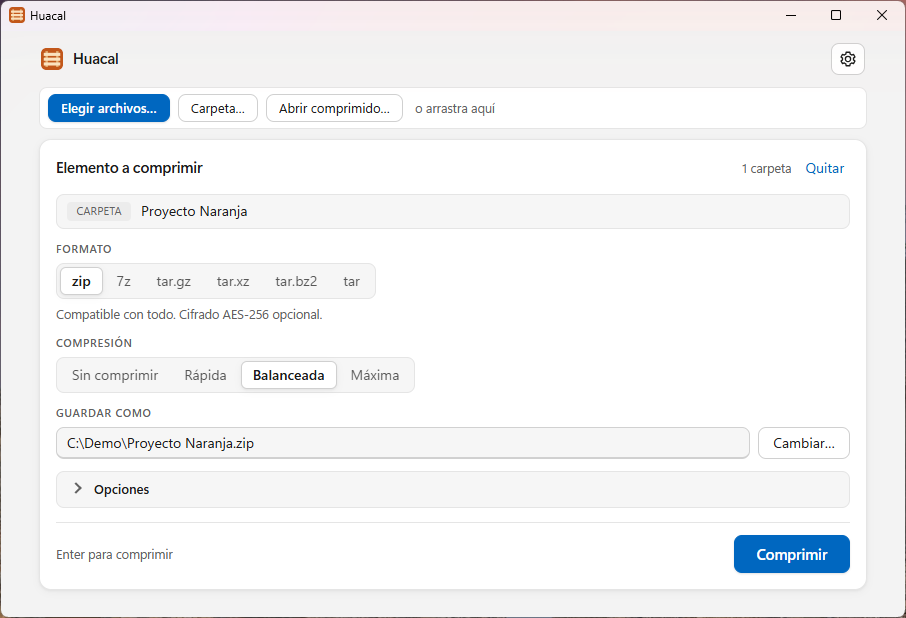
Pick a format, a level and where to put it. That is the whole screen. (Screenshots taken in Spanish; the app follows your Windows language.)
What it does
No sign-up, no expiring trial, no window asking you to buy a license.
Uses every core
It spreads the work across your processors instead of grinding through one file at a time. Things that are already compressed — photos, video, PDFs — are detected and not squeezed again for nothing.
AES-256 encryption
Password protection for zip and 7z. In 7z you can also hide the file names, so nobody can even see what is inside without the password.
In the right-click menu
Compress and extract entries show up in File Explorer, including the modern Windows 11 menu — no digging into "Show more options" first.
Self-extracting files
Turn an archive into an .exe that unpacks itself. Whoever receives it does not need to install anything to get the contents out.
Split into volumes
Cut the result into fixed-size parts to email them or spread them across drives. 7-Zip and WinRAR open those parts just fine.
It does not lose your work
If one file is locked by another program, it is skipped, the rest is saved, and you are told which one was left out — instead of the whole job failing. Modification dates are preserved.
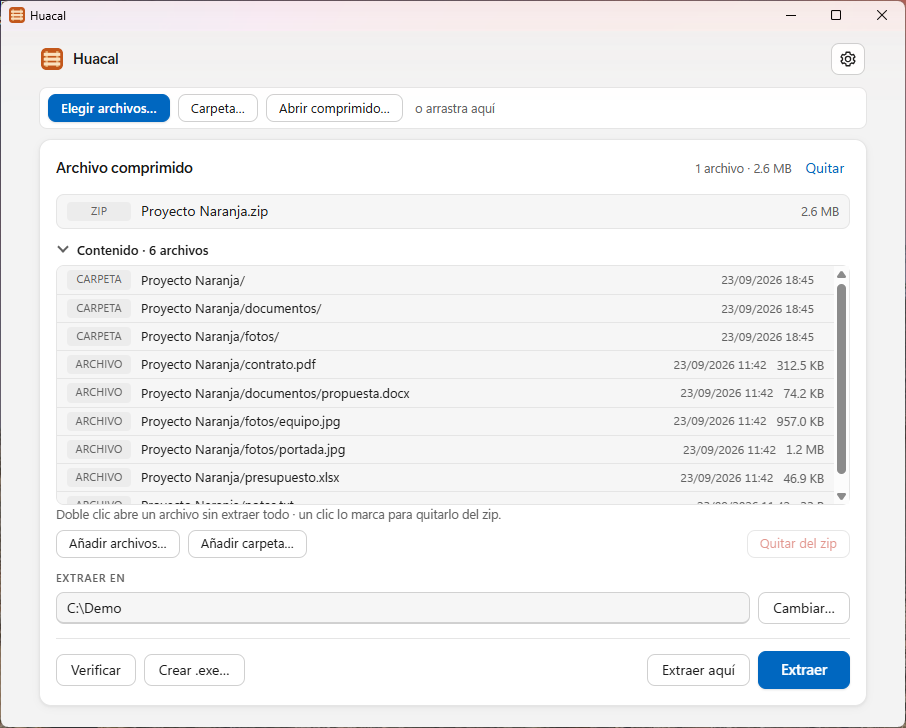
Open an archive and see what is in it before extracting. Double-click one file to open it without unpacking the rest.
Formats
Files keep their normal extension. Huacal does not invent a format of its own, so anything you create can be opened by anyone.
Creates and opens
Nine formats, with all their options.
Opens only
It reads and extracts these, but does not create them.
Creating .rar is not a missing feature: the UnRAR license forbids it outright, and no program other than WinRAR can legally do it.
How fast it is, and where it loses
Measured on 11 September 2026 against the same 189.6 MB set of 3,402 files, on one machine, alternating programs and taking the median of five runs.
| Match-up | Huacal | The other one | Result |
|---|---|---|---|
| 7z vs WinRAR (rar, m5) | 2.76 s · 56.9 MB | 7.93 s · 58.4 MB | Wins on time and size |
| zip vs 7-Zip (mx9) | 1.97 s · 70.4 MB | 8.62 s · 67.4 MB | 4.4× faster |
| 7z vs 7-Zip (mx5) | 3.22 s · 56.9 MB | 14.85 s · 49.6 MB | 4.6× faster, 13% bigger |
The whole picture, because half of it would be dishonest: against WinRAR, Huacal wins on both counts. Against 7-Zip it compresses faster every time, but 7-Zip produces smaller files every time, and in 7z the gap is wide. If the smallest possible archive is what you are after, 7-Zip still beats Huacal at that.
Download Huacal
Free. No account, no ads, no upsell inside the program.
Version 0.1.0 · 2.4 MB · Windows 10 and 11 · free
Check the file is the one I published (SHA-256)
In PowerShell, against the file you downloaded:
Get-FileHash .\Huacal-setup-x64.exe -Algorithm SHA256.
It must match:
x64
c35ec65b2d15998a875fead168007b8cfec0f9765e58cbaebffd59a2aac96c35
x86
e2145710aa7fc2272db320bcd15de8e299cc5a462834538a004afabed0cc15c9
Huacal is free
No ads, nothing to sell, no account required. If it helps you and you want more of it, you can buy me a coffee.
Questions
What language is it in?
English and Spanish, both in the same install — there is no separate download. It follows your Windows language the first time you open it, and you can pin it to either one in Settings. The right-click menu in File Explorer always follows Windows, on purpose: a Spanish entry inside an English menu reads like a bug.
Is it actually free?
Yes. There is no trial that expires and no window asking you to buy a license after forty days of use.
Can it open the .rar files people send me?
Yes, including password-protected ones. What it cannot do — and neither can anything other than WinRAR — is create .rar files: the UnRAR license forbids it.
Does it replace WinRAR?
For what most people do — compress, open, set a password, use the right-click menu — yes. If you need to create .rar files, or WinRAR-specific features like recovery records, no.
What happens to my files? Do they get uploaded?
No. Huacal works entirely on your computer. It sends nothing to the internet, carries no telemetry and does not need a connection to run.
Why does Windows warn me when installing it?
Because the installer is not signed with a paid certificate yet. It is the same warning any small unsigned program triggers: click More info, then Run anyway. It will be signed once the project justifies it. In the meantime, the download section lists the SHA-256 sums so you can check the file you got is the one I published.